Fix Nulls Brawl Loading Freezes and Matchmaking Errors
Loading freezes and matchmaking errors usually trace to outdated files, unstable networks, or device-specific overlays. This guide walks through the fixes we recommend before you assume the private server is down.
Confirm you run the live build
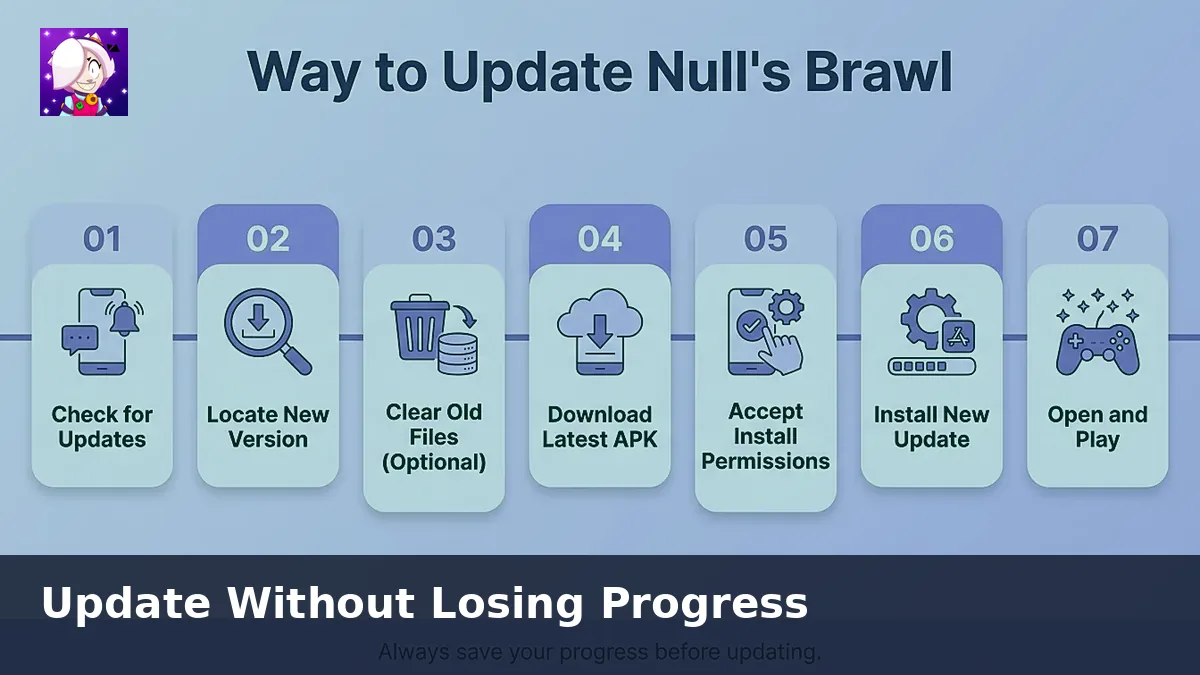
Version mismatches cause endless loading bars. Download the current APK or IPA from nullsbrawl.onl and install it over your existing copy. Delete leftover APK files from older folders so you do not reinstall them by mistake.
Clear the 79 percent hang
Many players report the client stopping near seventy-nine percent. Try these steps in order:
- Toggle airplane mode off and on, then relaunch on WiFi.
- Disable VPNs, DNS changers, and battery savers that restrict background data.
- Clear the app cache without wiping Nulls Connect login data.
- Restart the phone or emulator to free RAM.
Matchmaking and login failures
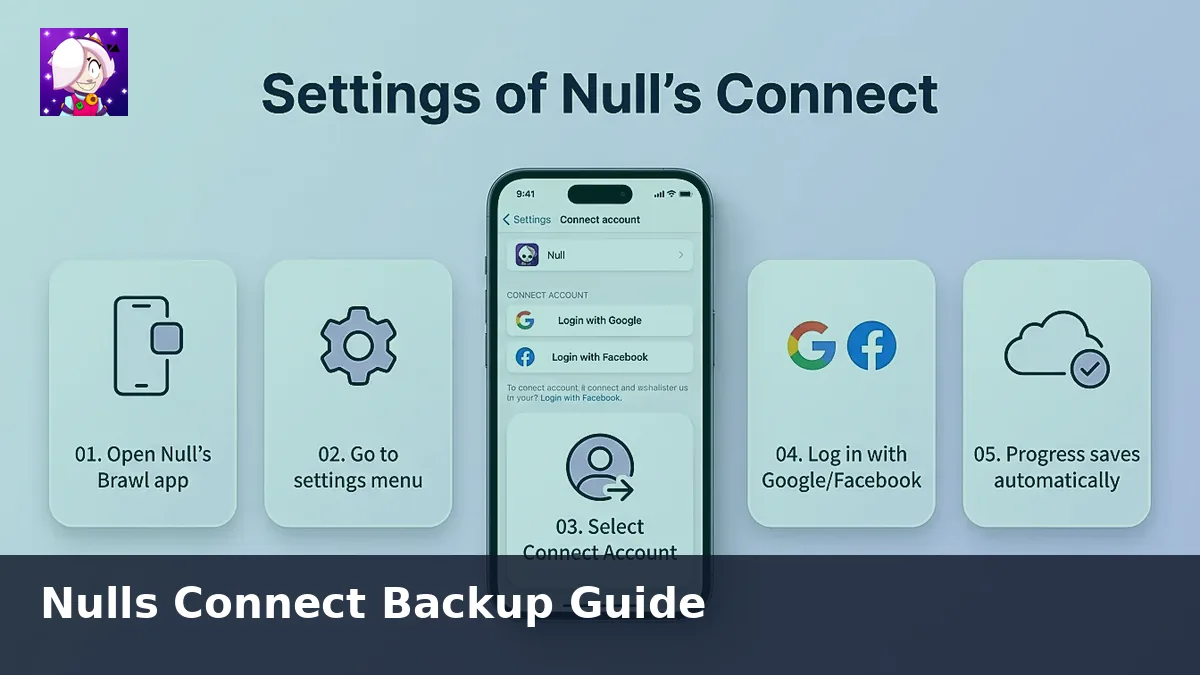
If queues never start, check whether maintenance announcements appear on official Nulls channels. When the server is online, log out of Nulls Connect, force-close the app, and sign in again. Corrupted sessions often clear with one fresh login.
Emulator-specific tips
On PC, raise the RAM allocation to at least 4 GB, enable virtualization, and turn off high-resolution modes your GPU cannot sustain. Screen recorders and floating chat heads also block touch input so close them before queuing.
When to reinstall
If crashes continue after updating, back up through Nulls Connect, uninstall the app, and install the fresh package. Restoring from cloud beats copying old OBB folders that may contain corrupt assets.
Still stuck? Compare your symptoms with the platform notes on our PC guide or iOS page depending on your device.